Skip to content
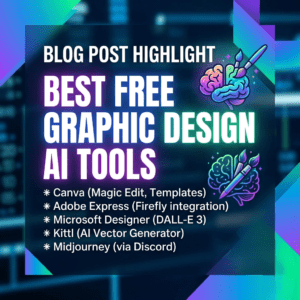
Best Free Graphic AI Tools
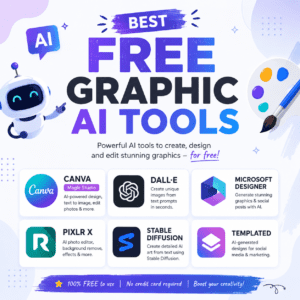
Artificial Intelligence has completely changed the way people create graphics, edit photos, and design digital content. Today, you no longer need advanced design skills or expensive software to produce professional-quality visuals. With the rise of the best free graphic AI tools, anyone can create stunning social media posts, logos, presentations, illustrations, and marketing materials in minutes.
Whether you are a freelancer, blogger, student, or business owner, AI-powered graphic tools can save time and improve creativity. In this article, we will explore the best free graphic AI tools available online and how they can help you create eye-catching designs effortlessly.
Why Use Graphic AI Tools?
Graphic AI tools use artificial intelligence to automate design tasks such as background removal, image generation, text effects, layout suggestions, and photo enhancement. These tools are becoming popular because they offer:
- Easy drag-and-drop interfaces
- Fast content creation
- Professional-quality templates
- AI-generated images and graphics
- Time-saving automation
- Free access for beginners
Using AI design tools can help both beginners and professionals improve productivity while maintaining high-quality visual content.
Best Free Graphic AI Tools You Should Try
1. Canva AI
Canva AI is one of the most popular graphic design platforms available today. It offers AI-powered features like Magic Design, text-to-image generation, background remover, and smart templates.
Key Features:
- AI image generator
- Thousands of free templates
- Social media design tools
- Logo and presentation creator
- Drag-and-drop editor
Canva AI is perfect for beginners who want professional designs without learning complex software.
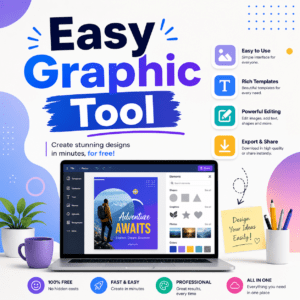
Easy Graphic Tool
2. Adobe Express
Adobe Express provides powerful AI-based graphic editing tools for free users. It includes quick design templates, AI text effects, image resizing, and background removal.
Key Features:
- AI text-to-image tool
- Quick social media graphics
- Free stock photos
- Automatic resizing options
- Easy branding tools
Adobe Express is ideal for content creators and marketers who need fast and attractive designs.
3. Fotor AI
Fotor AI is a user-friendly AI graphic and photo editing platform. It helps users create stunning visuals using AI-powered editing features.
Key Features:
- AI photo enhancer
- AI art generator
- Background remover
- Collage maker
- Design templates
Fotor AI is especially useful for photo editing and creative social media graphics.
4. Pixlr
Pixlr is a free online graphic editor powered by AI tools. It offers advanced editing features without requiring software installation.
Key Features:
- AI object removal
- One-click background remover
- Filters and effects
- Online photo editor
- Easy interface
Pixlr works well for users looking for quick editing solutions directly in their browser.
5. Designs.ai
Designs.ai is an all-in-one AI creative platform that helps users generate graphics, logos, videos, and marketing content.
Key Features:
- AI logo maker
- Graphic templates
- AI image generator
- Video creation tools
- Brand kit support
This platform is excellent for startups and small businesses that need branding materials quickly.
6. Remove.bg
Remove.bg is one of the best free AI tools for removing image backgrounds instantly.
Key Features:
- Automatic background removal
- High-quality cutouts
- Fast processing
- Supports transparent PNG output
Graphic designers and eCommerce sellers often use Remove.bg to create clean product images and marketing graphics.
Benefits of Using Free Graphic AI Tools
The best free graphic AI tools provide several advantages for users who want professional results without spending money.
Saves Time
AI tools automate repetitive tasks like resizing, cropping, and background editing.
Beginner Friendly
Most AI design tools have simple interfaces suitable for users with no design experience.
Cost Effective
Free versions offer enough features for personal projects, blogs, and small businesses.
Enhances Creativity
AI-generated ideas and templates help users create unique designs quickly.
Improves Productivity
Designers can complete projects faster and focus more on creativity instead of manual editing.
How to Choose the Best Graphic AI Tool
Before selecting a tool, consider the following factors:
- Ease of use
- Free features availability
- AI image generation quality
- Template library
- Export quality
- Editing flexibility
If you mainly create social media posts, Canva AI or Adobe Express may be the best options. For advanced photo editing, Pixlr and Fotor AI are excellent choices.
Final Thoughts
The demand for AI-powered design platforms continues to grow because they make graphic creation easier, faster, and more accessible. The best free graphic AI tools help users design professional visuals without expensive software or advanced skills.
Whether you need social media graphics, logos, presentations, or AI-generated artwork, tools like Canva AI, Adobe Express, Fotor AI, Pixlr, and Designs.ai can significantly improve your workflow. By using these free AI graphic tools, you can create high-quality content, boost creativity, and save valuable time.
Start exploring these tools today and take your graphic design projects to the next level.