Skip to content
Free Vector Graphic Tools
Creating stunning graphics no longer requires expensive software. Today, many designers, freelancers, students, and business owners are switching to free vector graphic tools to create logos, illustrations, social media posts, icons, and branding materials without spending money. Whether you are a beginner or a professional designer, these tools can help you work efficiently while maintaining high-quality results.
In this article, we will explore the best free vector graphic tools, their features, benefits, and why they are becoming increasingly popular among creative professionals.
What Are Vector Graphic Tools?
Vector graphic tools are software applications used to create graphics made from mathematical paths instead of pixels. This means designs can be resized without losing quality. Vector graphics are commonly used for logos, illustrations, banners, business cards, and web design.
Unlike raster images, vector graphics remain sharp and clean at any size. This is why many designers prefer using free vector graphic tools for professional creative projects.
Why Use Free Vector Graphic Tools?
There are several reasons why designers choose free tools instead of paid alternatives:
- Cost-effective for beginners
- Easy access for students and freelancers
- Suitable for professional-quality work
- Available on multiple operating systems
- Large online communities and tutorials
Many modern free vector graphic tools now offer advanced features that were once only available in premium software.
Best Free Vector Graphic Tools in 2026
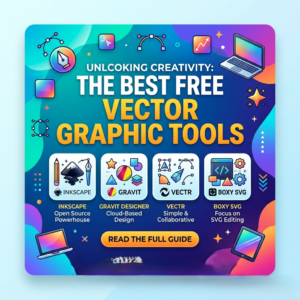
1. Inkscape
Inkscape is one of the most popular open-source vector design programs available today. It offers professional tools for creating illustrations, logos, diagrams, and complex artwork.
Key features include:
- SVG file support
- Advanced path editing
- Shape and text tools
- Extensions and plugins
Many professionals consider Inkscape one of the best free vector graphic tools because of its powerful capabilities and active community support.
2. Vectr
Vectr is a lightweight and beginner-friendly vector design application. It works both online and offline, making it convenient for users who want simple design solutions.
Benefits of Vectr:
- Easy user interface
- Cloud synchronization
- Real-time collaboration
- Quick learning curve
If you are new to design, Vectr is among the easiest free vector graphic tools to start with.
3. Gravit Designer Free Version
Gravit Designer offers a modern interface and professional design features. The free version includes many tools useful for UI design, illustrations, and branding.
Features include:
- Cross-platform compatibility
- Flexible workspace
- Vector editing tools
- Export options
Designers often use Gravit Designer as an alternative to expensive vector software.
4. Boxy SVG
Boxy SVG is designed specifically for editing SVG files. It is ideal for web designers and digital illustrators who need lightweight vector editing software.
Advantages:
- Fast performance
- Browser-based accessibility
- Clean interface
- SVG optimization
Among modern free vector graphic tools, Boxy SVG is highly appreciated for web graphic projects.
5. SVG-Edit
SVG-Edit is a simple browser-based vector editor that requires no installation. Users can create and edit vector graphics directly from their browser.
Main features:
- Open-source platform
- Lightweight performance
- Easy editing tools
- Quick exports
This tool is perfect for users who want quick and easy vector editing without complicated setup.
Free Image Enhancer Tools
Benefits of Using Vector Graphics
Vector graphics provide several important advantages over traditional image formats.
Scalability
Vector images can be resized infinitely without losing quality. This is extremely important for logos and print materials.
Smaller File Sizes
Vector files are often smaller compared to high-resolution raster images, making them easier to store and share.
Easy Editing
Designers can quickly edit shapes, colors, and paths without damaging the overall design.
Professional Results
Most free vector graphic tools now support professional workflows, allowing users to create industry-standard artwork.
How to Choose the Right Free Vector Graphic Tool
Choosing the right software depends on your design needs and skill level.
For Beginners
- Vectr
- SVG-Edit
For Professional Designers
- Inkscape
- Gravit Designer
For Web Designers
- Boxy SVG
Before selecting a tool, consider:
- Ease of use
- Supported file formats
- System compatibility
- Available tutorials
- Export quality
Testing multiple free vector graphic tools can help you find the best fit for your creative workflow.
Tips for Improving Your Vector Design Skills
Using the right software is only part of becoming a better designer. Here are some useful tips:
Practice Regularly
Create small projects daily to improve your understanding of vector shapes and tools.
Learn Design Principles
Study typography, color theory, spacing, and composition to create more professional artwork.
Watch Tutorials
Online tutorials can help you master advanced features in various free vector graphic tools.
Use Keyboard Shortcuts
Learning shortcuts increases productivity and speeds up your workflow.
Future of Free Vector Graphic Tools
The future of vector design software looks promising. Open-source communities and cloud-based technologies continue to improve free design applications every year. Many companies now support free creative tools, making professional graphic design more accessible than ever before.
Artificial intelligence is also transforming vector editing by automating repetitive tasks and improving workflow efficiency. As technology evolves, free vector graphic tools will likely become even more powerful and user-friendly.
Conclusion
Finding high-quality design software no longer requires a large budget. Modern free vector graphic tools provide excellent features for beginners, freelancers, students, and professionals alike. Whether you need to create logos, illustrations, social media graphics, or branding materials, there are many free options available to help you achieve professional results.