Skip to content
Easy Graphic Tool: Best Tools to Create Stunning Designs Without Skills
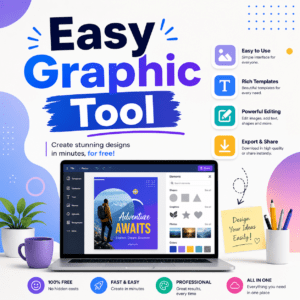
In today’s digital world, visual content plays a key role in communication. Whether you run a blog, manage social media, or promote a business, high-quality graphics can significantly improve engagement and success. The good news is that you don’t need advanced design skills or expensive software anymore. With an easy graphic tool, anyone can create professional-quality designs in just a few minutes.
This article will guide you through the best easy graphic tools, their features, and how you can use them to design stunning visuals effortlessly.
Why Use an Easy Graphic Tool?
Many beginners feel overwhelmed when using complex design software like Adobe Photoshop or Illustrator. These tools require practice, technical knowledge, and time. An easy graphic tool removes those barriers and makes design simple for everyone.
Here are some key reasons to use an easy graphic tool:
- Simple interface: No prior design experience required
- Drag-and-drop editor: Create visuals quickly and easily
- Ready-made templates: Save time with pre-designed layouts
- Online access: No need to install heavy software
- Fast workflow: Complete designs in minutes
These benefits make easy graphic tools ideal for beginners, bloggers, freelancers, students, and small business owners.
Best Easy Graphic Tool Options
There are many tools available online, but a few stand out due to their simplicity, features, and popularity.
1. Canva
Canva is one of the most widely used easy graphic tools in the world. It is perfect for beginners and professionals who want fast and attractive designs.
Features:
- Thousands of free templates
- Drag-and-drop editing system
- Free icons, photos, and fonts
- One-click resizing for different platforms
- Social media and marketing design options
Canva is ideal for creating blog images, YouTube thumbnails, Instagram posts, and presentations. Its simplicity makes it one of the best choices for quick design work.
2. Adobe Express
Adobe Express is a simplified version of Adobe’s professional design software. It focuses on speed and ease of use while still producing high-quality results.
Features:
- Clean and modern templates
- Quick editing tools
- Background removal feature
- Access to Adobe Stock images
- Brand kit for consistency
This tool is perfect for users who want a professional look without learning complex software.
3. VistaCreate
VistaCreate (formerly Crello) is another powerful easy graphic tool designed for social media creators and marketers.
Features:
- Animated and static templates
- Easy customization options
- Large free media library
- Simple user interface
- Ready-made marketing designs
VistaCreate is especially useful for creating engaging social media content that stands out.
Free Image Making Tools
4. Fotor
Fotor is a combination of photo editing and graphic design tools in one platform. It is perfect for users who want both editing and design features.
Features:
- One-click photo enhancement
- Filters and effects
- Collage maker
- Graphic design templates
- HDR photo editing tools
Fotor is a great choice for improving images while also creating simple and attractive designs.
5. Snappa
Snappa is designed for users who need quick and simple graphic creation without complications.
Features:
- Pre-sized templates for social media
- Easy editing tools
- Free stock images
- Fast download options
- Beginner-friendly interface
Snappa is especially useful for bloggers and marketers who need fast results without spending too much time.
How to Choose the Right Easy Graphic Tool
Choosing the right easy graphic tool depends on your personal or business needs. Each tool has different strengths.
- For beginners: Canva or VistaCreate
- For fast design work: Snappa
- For professional-looking designs: Adobe Express
- For photo editing + design: Fotor
Always select a tool that matches your workflow, goals, and comfort level.
Tips to Improve Your Designs
Even when using an easy graphic tool, good design principles are important. Following simple rules can greatly improve your results.
- Keep your design clean and minimal
- Use consistent colors and fonts
- Make text easy to read
- Use high-quality images only
- Avoid unnecessary elements
These small improvements can make your designs look more professional and visually appealing.
Benefits of Easy Graphic Tools for Blogging
If you are a blogger or content creator, using an easy graphic tool can improve your content quality and audience engagement.
- Create attractive featured images for blog posts
- Increase engagement on social media platforms
- Build a strong and consistent brand identity
- Save time with ready-made templates
- Improve click-through rates on content
Good visuals not only attract readers but also help retain them longer on your website.
Final Thoughts
An easy graphic tool makes design accessible to everyone. You no longer need advanced skills or expensive software to create professional visuals. Tools like Canva, Adobe Express, VistaCreate, Fotor, and Snappa provide everything you need to design high-quality graphics quickly and easily.
Whether you are a beginner or an experienced creator, these tools can help you improve your content and grow your online presence. With a little creativity and the right tool, you can create stunning visuals that capture attention and deliver results.
Start using an easy graphic tool today and take your design skills to the next level—without any complexity or cost.