Free Tools to Create Design
In today’s digital world, design plays a crucial role in branding, marketing, and communication. Whether you are a business owner, student, or content creator, having access to the right tools can make a huge difference. The good news is that there are many free tools to create design that offer powerful features without costing anything.
In this blog, we’ll explore some of the best free tools to create design, their features, and how they can help you produce professional-quality visuals.
Why Use Free Design Tools?
Before diving into the tools, let’s understand why choosing free tools to create design is a smart move:
- Cost-effective for beginners and startups
- Easy to use with minimal learning curve
- Cloud-based access from anywhere
- Great for social media, branding, and presentations
These tools are perfect for anyone who wants quality design without investing in expensive software.
Best 10 Hanging Wall Sign MockUp Free Download
Top Free Tools to Create Design
1. Canva
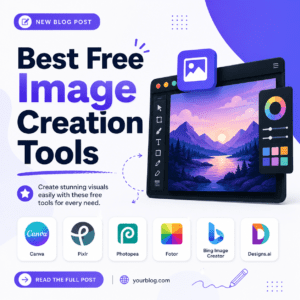
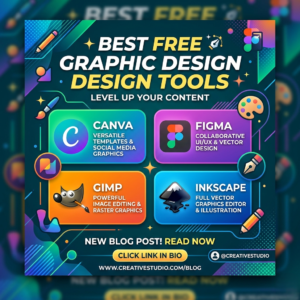
Canva is one of the most popular free tools to create design. It offers thousands of templates for social media posts, presentations, posters, and more.
Key Features:
- Drag-and-drop interface
- Huge library of fonts, images, and icons
- Ready-made templates
- Team collaboration options
2. Figma
Figma is a powerful design tool widely used for UI/UX design. It’s one of the best free tools to create design for web and app interfaces.
Key Features:
- Real-time collaboration
- Vector editing tools
- Prototyping features
- Cloud-based workflow
3. Adobe Express
Adobe Express is another excellent option among free tools to create design.
Key Features:
- Easy-to-use templates
- Quick video and graphic creation
- Integration with Adobe ecosystem
- Professional-quality assets
4. Pixlr
Pixlr is a free online photo editor that works directly in your browser. It’s one of the most accessible free tools to create design for photo editing.
Key Features:
- Advanced editing tools
- Filters and effects
- AI-powered background removal
- No installation required
5. Gravit Designer
Gravit Designer is a vector design tool suitable for logos, illustrations, and UI design.
Key Features:
- Cross-platform support
- Clean and intuitive interface
- Vector editing capabilities
- Export in multiple formats
Tips for Choosing the Right Tool
With so many free tools to create design, selecting the right one can be confusing. Here are some tips:
- For beginners: Start with Canva
- For UI/UX design: Use Figma
- For photo editing: Try Pixlr
- For branding & marketing: Adobe Express works best
Always choose a tool based on your project needs and skill level.
Benefits of Using Free Design Tools
Using free tools to create design comes with several advantages:
- Saves money while learning design
- Helps build a professional portfolio
- Enables quick content creation
- Improves creativity with ready resources
These tools make design accessible to everyone, regardless of experience.
Final Thoughts
The availability of free tools to create design has completely transformed the creative industry. You no longer need expensive software to produce high-quality visuals. Whether you’re designing social media posts, logos, or presentations, these tools provide everything you need to get started.
Start exploring these platforms today and unlock your creative potential with the best free tools to create design available online.