Skip to content
Free Image Creation Tools
Creating eye-catching visuals has become easier than ever with the help of free image creation tools. Whether you are a blogger, digital marketer, student, or business owner, these tools can help you design stunning graphics without spending money on expensive software. From social media posts to website banners, modern design platforms offer simple drag-and-drop features that anyone can use.
In this article, we will explore the best free image creation tools, their features, benefits, and how they can improve your online presence.
Why Use Free Image Creation Tools?
Visual content plays a major role in digital marketing and branding. Studies show that posts with images receive more engagement than plain text. This is why many creators and businesses rely on free image creation tools to design professional-quality graphics quickly.
Here are some advantages of using these tools:
- Easy to use for beginners
- No design experience required
- Cost-effective solution
- Thousands of templates available
- Perfect for social media and blogs
- Saves time with drag-and-drop editing
These platforms help users create attractive visuals without hiring a professional designer.
Best Free All Premium 3D Logo Mockup PSD
Best Free Image Creation Tools in 2026
1. Canva
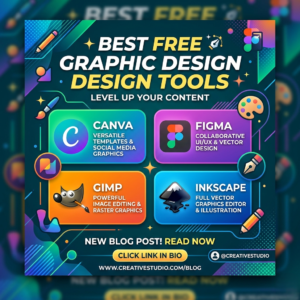
Canva is one of the most popular design platforms available today. It offers ready-made templates for Instagram posts, YouTube thumbnails, presentations, flyers, and more.
Key Features:
- Drag-and-drop editor
- Free templates and fonts
- Team collaboration tools
- Background remover in premium version
Canva is perfect for beginners who want fast and simple image editing.
2. Adobe Express
Adobe offers Adobe Express, a lightweight design tool with professional-quality templates. It allows users to create social media graphics, posters, and logos within minutes.
Benefits:
- User-friendly interface
- High-quality templates
- Cloud storage support
- Easy resizing options
Many professionals consider Adobe Express one of the top free image creation tools because of its modern features.
3. Fotor
Fotor is another excellent platform for editing and creating images online. It provides photo enhancement tools, collage makers, and AI-powered editing features.
Popular Features:
- One-click photo enhancement
- AI image generator
- Beauty retouching tools
- Ready-made templates
Fotor is ideal for bloggers and content creators who want quick editing solutions.
4. Pixlr
Pixlr is a browser-based editor that works similarly to Photoshop. It offers advanced editing features while remaining free and easy to access.
Why People Love Pixlr:
- No software installation needed
- Advanced layer editing
- AI background remover
- Mobile-friendly editing
Pixlr is one of the best free image creation tools for users who need professional editing capabilities without downloading heavy software.
5. Snappa
Snappa is designed for marketers and social media managers. It allows users to create graphics for ads, blogs, and social media in minutes.
Main Features:
- Fast graphic creation
- Royalty-free stock photos
- Social media templates
- Simple interface
Snappa is especially useful for creating marketing visuals quickly.
How Free Image Creation Tools Help Businesses
Businesses use visual content to attract customers and increase engagement. Modern free image creation tools make it possible for startups and small companies to compete with larger brands.
Here are some ways these tools help businesses:
Improved Social Media Marketing
Attractive graphics increase likes, shares, and comments on social media platforms.
Better Brand Identity
Consistent visual designs help businesses look professional and trustworthy.
Faster Content Creation
Templates and AI-powered tools reduce the time needed to create graphics.
Affordable Marketing Solution
Since many platforms are free, businesses can save money on design costs.
Tips for Choosing the Best Free Image Creation Tools
Not every tool is suitable for every user. Here are some important things to consider before choosing a platform:
Ease of Use
Beginners should select tools with simple interfaces and drag-and-drop features.
Template Availability
A large template library saves time and improves creativity.
Editing Features
Advanced users may need layer editing, AI tools, or professional filters.
Export Quality
Choose tools that support high-resolution downloads for professional use.
Device Compatibility
Some platforms work better on mobile devices, while others are optimized for desktops.
Free Graphic Design Tools
The Future of Free Image Creation Tools
Technology is changing rapidly, and AI-powered design features are becoming more common. Many free image creation tools now include automatic background removal, text generation, and AI image enhancement.
In the future, we can expect:
- More AI-powered design automation
- Faster editing tools
- Better collaboration features
- Advanced mobile editing capabilities
These innovations will make graphic design even easier for everyone.
Conclusion
Using free image creation tools is one of the smartest ways to create professional visuals without spending money. Whether you need social media graphics, blog images, presentations, or marketing materials, these platforms offer everything you need in one place.
Tools like Canva, Pixlr, and Fotor provide powerful features that help both beginners and professionals create stunning designs quickly and easily.