Free Tools to Create Design

In today’s digital world, visual content plays a huge role in communication, branding, and marketing. Whether you are a student, freelancer, content creator, or business owner, having access to free tools to create design can save time, money, and effort. The good news is that you don’t need expensive software like Photoshop to create professional-quality graphics anymore. There are many powerful online tools available for free.
In this article, we will explore the best free tools to create design, their features, and how they can help you improve your creative workflow.
Why Use Free Design Tools?
Design is no longer limited to professional designers. With easy-to-use platforms, anyone can create social media posts, logos, presentations, posters, and website graphics.
Here are a few reasons why free tools are becoming popular:
- No need for expensive software subscriptions
- Beginner-friendly interface
- Cloud-based access from anywhere
- Ready-made templates for quick work
- Suitable for both personal and commercial use
These advantages make free tools to create design essential for modern digital creators.
Free Branding Identity Mockup Design 2021
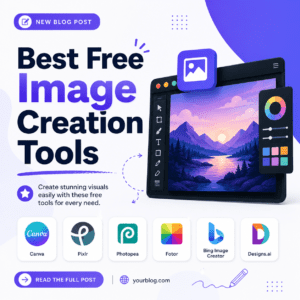
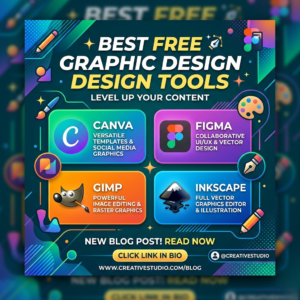
1. Canva – The Most Popular Design Tool
Canva is one of the most widely used free design platforms in the world. It is perfect for beginners and professionals who want quick and attractive designs.
Key Features:
- Thousands of free templates
- Drag-and-drop interface
- Social media post creator
- Logo, poster, and presentation design
- Free stock images and icons
Canva is ideal for creating Instagram posts, YouTube thumbnails, business cards, and more. Even without design experience, you can create professional visuals in minutes.
2. Adobe Express – Simple Yet Powerful
Adobe Express (formerly Adobe Spark) is another excellent option among free tools to create design. It is developed by Adobe, a trusted name in the design industry.
Key Features:
- Clean and modern templates
- Easy video and image editing
- Brand kit support
- Social media content creation tools
Adobe Express is great for users who want Adobe-quality tools without the complexity of Photoshop.
3. Figma – Best for UI/UX and Collaboration
Figma is a powerful web-based design tool mostly used for UI/UX design, website mockups, and app interfaces. However, it can also be used for general graphic design.
Key Features:
- Real-time collaboration
- Vector-based design system
- Cloud storage
- Free community resources
Figma is especially useful for teams working remotely on design projects.
4. Pixlr – Online Photo Editing Tool
If you are looking for a Photoshop alternative, Pixlr is one of the best choices among free tools to create design.
Key Features:
- Browser-based editing
- AI-powered tools
- Layers and filters support
- Fast image editing
Pixlr is perfect for quick photo edits, retouching, and creative image manipulation.
5. VistaCreate – Template-Based Design Tool
VistaCreate (formerly Crello) is a strong competitor to Canva and offers a wide range of templates.
Key Features:
- 100,000+ design templates
- Animation tools
- Free stock photos and videos
- Social media design formats
It is especially useful for marketers and social media managers.
6. GIMP – Advanced Free Software
GIMP (GNU Image Manipulation Program) is a free open-source alternative to Photoshop. It is more advanced and suitable for experienced users.
Key Features:
- Advanced photo editing tools
- Layer-based editing
- Plugin support
- Completely free and open-source
Although it has a learning curve, GIMP is extremely powerful for detailed design work.
7. Inkscape – Vector Graphic Design Tool
Inkscape is another open-source tool used for vector-based design, similar to Adobe Illustrator.
Key Features:
- SVG file support
- Logo and illustration design
- Advanced vector editing tools
- Free and community-driven
It is perfect for logo designers and illustrators.
How to Choose the Right Design Tool?
Choosing the right tool depends on your needs:
- For beginners: Canva, Adobe Express
- For UI/UX design: Figma
- For photo editing: Pixlr or GIMP
- For vector design: Inkscape
- For marketing content: VistaCreate
Each of these free tools to create design offers unique benefits, so selecting the right one depends on your project.
Best Free Graphic Design Tools
Final Thoughts
Design has become more accessible than ever before. You no longer need expensive software or professional training to create beautiful visuals. With the help of free tools to create design, anyone can produce high-quality graphics for personal, educational, or business use.