Free Graphic Tools Online: Best Platforms to Create Stunning Designs
In today’s digital world, design plays a vital role in communication, branding, and marketing. Whether you are a student, freelancer, content creator, or business owner, having access to the right tools is essential. Thankfully, Free Graphic Tools Online make it easy to create professional-quality visuals without spending money.
These tools are browser-based, user-friendly, and packed with powerful features. From social media posts to logos and presentations, It help you design anything quickly and efficiently.
Why Choose This Tools?
One of the biggest advantages of using Free Graphic Tools Online is convenience. You don’t need to install heavy software or worry about system requirements. Everything works in the cloud, allowing you to access your designs anytime, anywhere.
Another major benefit is cost savings. Premium tools like Adobe Photoshop can be expensive, especially for beginners. With free tools, you can start designing immediately without any financial investment.
Most importantly, these tools are beginner-friendly. They offer templates, drag-and-drop editors, and built-in assets, making design simple even if you have no prior experience.
Best Free Graphic Tools Online in 2026
Here are some of the top Free Graphic Tools Online you should try:
1. Canva
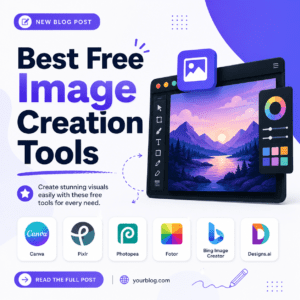
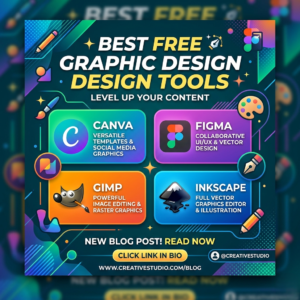
Canva is one of the most popular platforms for beginners and professionals alike. It provides thousands of templates for social media, flyers, posters, and presentations. Its simple drag-and-drop interface makes designing fast and easy.
2. Photopea
Photopea is a powerful online alternative to Photoshop. It supports PSD, AI, and SVG files, making it ideal for advanced editing. You can work with layers, masks, and effects directly in your browser.
3. Pixlr
Pixlr offers both basic and advanced editing tools. With features like AI background removal and filters, it’s perfect for quick image editing tasks.
4. Figma
Figma is widely used for UI/UX design and team collaboration. It allows real-time editing, making it ideal for teams working on web or app design projects.
5. Corel Vector (Gravit Designer)
This tool is great for vector design, including logos and illustrations. It offers precision tools and a clean interface for professional results.
6. Remove.bg
Remove.bg uses AI to remove image backgrounds instantly. It saves time and is perfect for product images and marketing visuals. Best Free graphic design tools for beginners.
Corporate Business Card / Personal Business Card
Features to Look for:
When selecting the best Free Graphic Tools Online, consider these important features:
- Easy-to-use interface
- Ready-made templates
- High-quality export options
- Collaboration features
- Support for multiple file formats
These features ensure that your design process is smooth and efficient.
Imran Site
Who Can Benefit ?
This Tools are useful for everyone:
- Students: Create assignments and presentations
- Freelancers: Design client projects without extra cost
- Small Businesses: Build branding and marketing materials
- Content Creators: Design engaging social media graphics
Even professional designers use these tools for quick edits and collaboration.
Tips to Get the Best Results
To get the most out of Free Graphic Tools Online, choose the right tool based on your needs. Use Canva for quick designs and Photopea for advanced editing.
Always use high-quality images, maintain a consistent color scheme, and keep your design clean. Avoid clutter and focus on clear messaging. Experiment with layouts and fonts to create unique visuals.
Conclusion
The growth of Free Graphic Tools Online has made design accessible to everyone. You no longer need expensive software to create professional visuals. Tools like Canva, Photopea, Pixlr, and Figma provide everything you need to succeed.
Whether you are working on personal or professional projects, these tools help you design faster and smarter. Start using this Tools from today and bring your creative ideas to life.